What is Microsoft Windows File Encryption?
Windows File Encryption is available within Professional versions of Windows 7, 8, 10 and 11 and allows the user to encrypt specific files or folders on their computer.
When the file is encrypted, only the user profile that has encrypted it can view the content. The file becomes linked to the Windows Security Certificate for that user profile and, whilst other profiles will be able to see the file, they will not be able to open it to view the content.
The file cannot be viewed in any other way other than through access of the user profile that encas the encryption has made the content indecipherable by any other user.
Why Use Windows File Encryption?
This type of file protection can be used when the content of the file is confidential or private, such as banking or accounting records, and where the user does not want others to be able to access it.
How to Encrypt a File Using Windows File Encryption
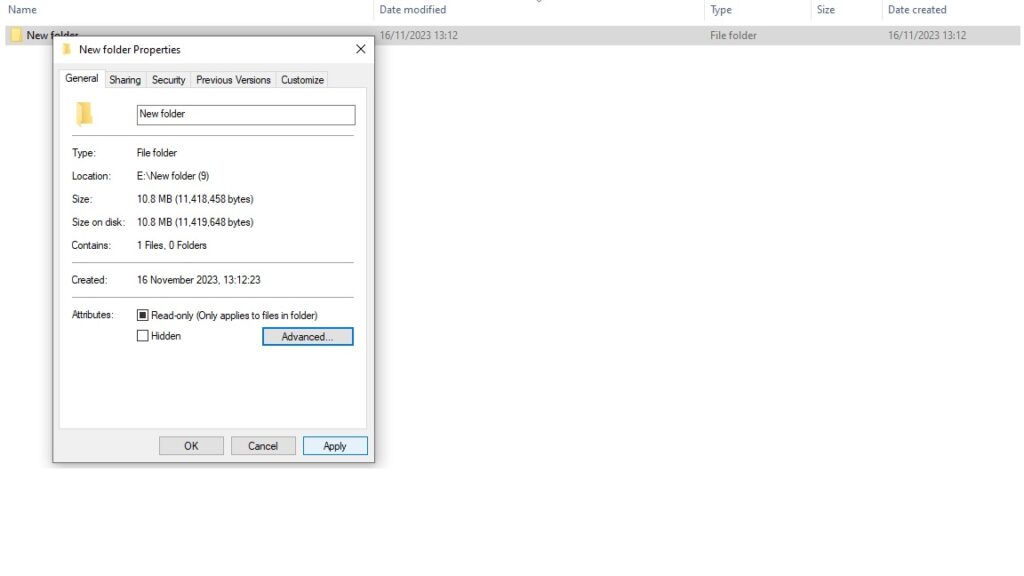
When the file or folder to be encrypted is identified, navigate to it within Windows Explorer as below:

Select ‘Advanced’ from the next Window as below:

Select box next to ‘Encrypt contents to secure data’ as below:

Select ‘Apply’ at the bottom right hand corner of the Window now displayed as below:
Choose to save a copy of the security certificate if required as below:

If not saved, access to the file will not be possible if the user profile or security certificate relating to that profile is lost.
When viewing the encrypted file within Windows Explorer, it can be seen that the icon has changed slightly. The folder when viewed within Properties displays a folder and padlock icon and the file within it also displays a padlock icon as below:
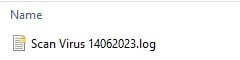
When viewing the file within Windows Explorer, it appears normal to the user who encrypted it. However, when viewed using a forensic application, the file will appear with an EFS entry and that entry, when opened using Notepad, can be found to contain the name of the user profile responsible for the encryption of the file as well as the type of encryption used, which in the above will be displayed as Microsoft Enhanced Cryptographic Provider v1.0.
It is also noted that the entry modified date of the file and folder is reset when the file is encrypted, allowing for an assessment as to when the encryption of the file/folder took place.
About Athena Forensics
For information on our computer forensic expert services or if you require any advice or assistance please contact a member of our team on 0330 123 4448 or via email on enquiries@athenaforensics.co.uk, further details are available on our contact us page.
Our client’s confidentiality is of the utmost importance. All correspondence is treated with discretion, from initial contact to conclusion of the matter.
We are fully aware of the significance and importance of the information that they encounter and we have been accredited to ISO 9001 for 14 years.
Our premises along with our security procedures have been inspected and approved by law enforcement agencies and we do not disclose personal information to other companies or suppliers.
Our team are all security cleared and we offer non-disclosure agreements if required.
Our premises along with our security procedures have been inspected and approved by law enforcement agencies.
Athena Forensics do not disclose personal information to other companies or suppliers.
https://athenaforensics.co.uk/service/computer-forensic-experts/
https://athenaforensics.co.uk/service/mobile-phone-forensic-experts/





